Some time ago I updated the video machine subtitle-related features, specifically:
- New custom CEA-608 subtitle decoder, which captures subtitles directly from the VBI waveform
- New custom CEA-608 subtitle encoder, which generates caption bytes that then get used by subtitle encoder hardware or can be transmitted elsewhere
- Added a CEA-608 to Pango markup converter and switched subtitle rendering from driver-based hardware subtitles to pretty high-resolution text provided by
text-pthreadplugin for OBS
Previously it would use the decoder from the capture card. This meant that subtitles would be locked to the current analog input (more on this below), end up baked into the video stream and they caused a short hang-up whenever they were turned on/off. The subtitles would get caught along with filters like sharpening and so on… generally resulting in blurry text.
There is a subtlety about displaying analog subtitles (ha ha) - the main video signal sometimes passes through the time base corrector, which is a lossy process prone to corruption of the subtitle waveform. In case of time base errors in the source signal (which is very common for old VHS media) the TBC tries to fill in corrupted data by repeating the previous video frame. This results in repeating of two last bytes of transmission over and over.
To get around this the auxiliary input is used to source the CEA-608 CC waveforms. The primary video input signal is what connects to the screen and the auxiliary input is what I see on the panel - and what subtitles are decoded from.
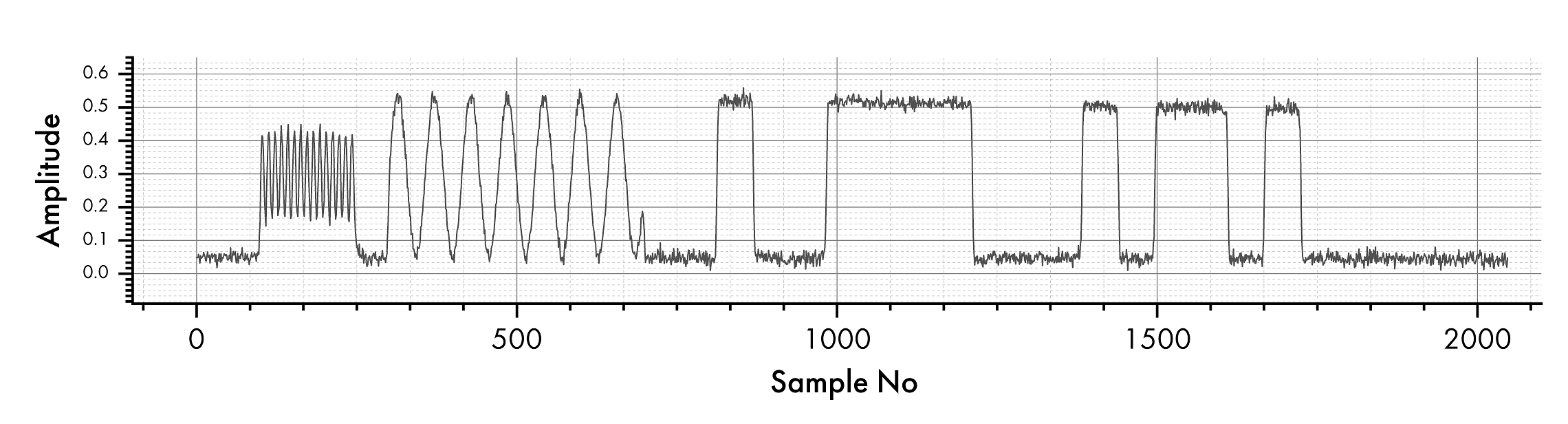
Video Machine has a custom decoder for these waveforms - it obtains raw data samples from the capture card, then performs clock detection & NRZ bit scanning with clock re-synchronization. The CEA-608 waveforms encode two bytes of data per a single frame.
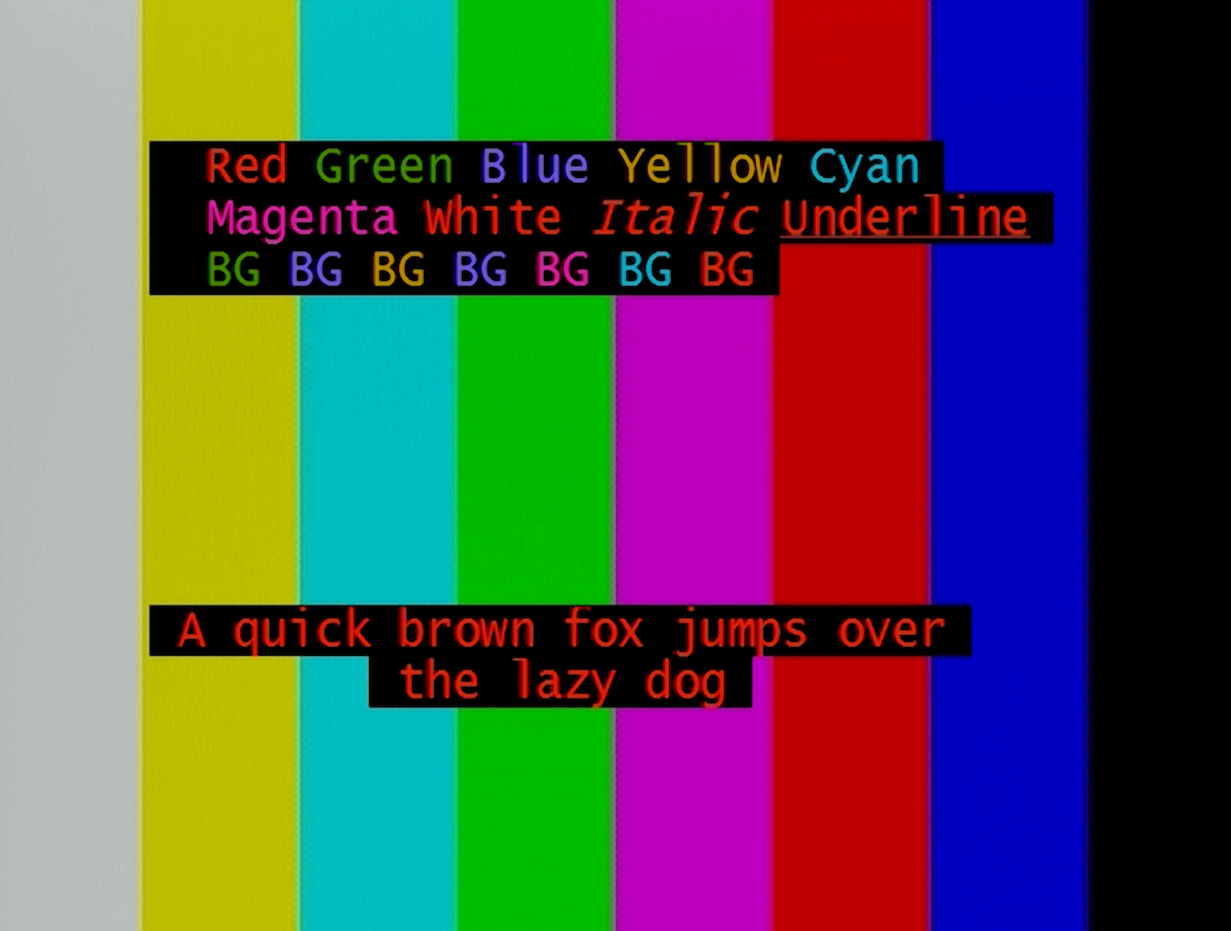
I also added a CEA-608 encoder which is able to turn this Markdown-like formatting into a valid CEA-608 byte sequence. This is also the same message that was used for test images throughout this post:
A quick brown fox jumps over the lazy dog
{@2}{r}Red {g}Green {b}Blue {y}Yellow {c}Cyan<br>
{@3}{m}Magenta {w}White *Italic* _Underline_<br>
{@4}{gR}BG {bG}BG {yB}BG {bY}BG {mC}BG {cM}BG {rW}BG
Here are the specific commands that implement custom CEA-608 codes:
{@row,column}encodes a “place at specific part of the screen” command sequence{w}or{white}encodes a foreground color adjustment{W}or{WHITE}encodes a background color adjustment- Supported unicode characters are converted to corresponding CEA-608 codes
- Bold text, strike-out, etc are not supported by CEA-608
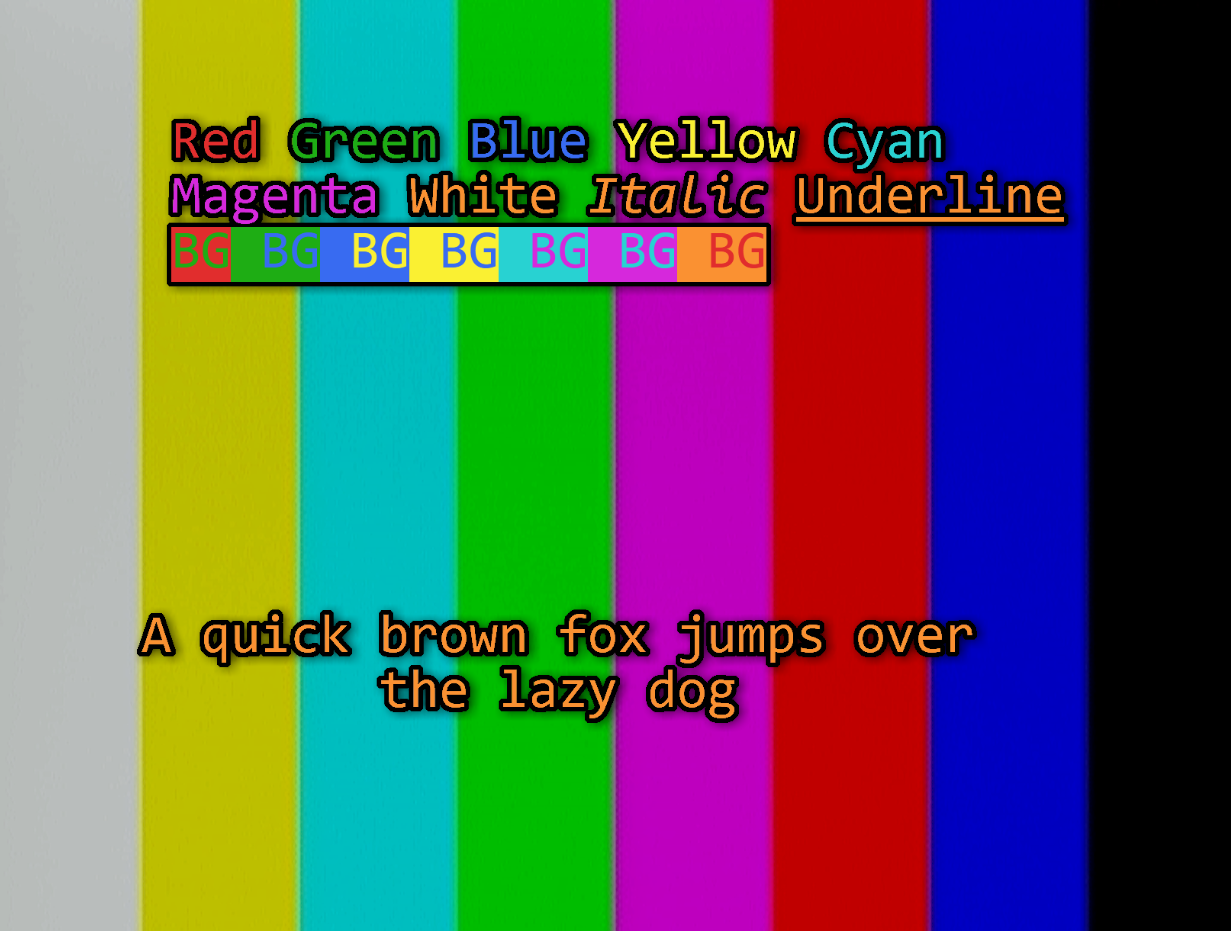
This is the final result as decoded and rendered by the Video Machine subtitle system:
During this testing, I noticed that my CRT TV does not seem to present subtitles encoded to row 1 - it consistently ignores anything that is attributed to row 1 (because row 1 is numerically encoded as 0, it could be a one-off error in the decoder of that TV?). Plus something I already knew before - it only has 4 lines of decoding buffer, so I had to shorten the test phrase, otherwise parts of the color test would get cutoff.
I also noticed that by mistake I swapped the buttons that pick subtitle source between “driver” and custom video machine decoder. The subtitles have been running on my custom decoder for at least two of the past streams and I didn’t even notice.
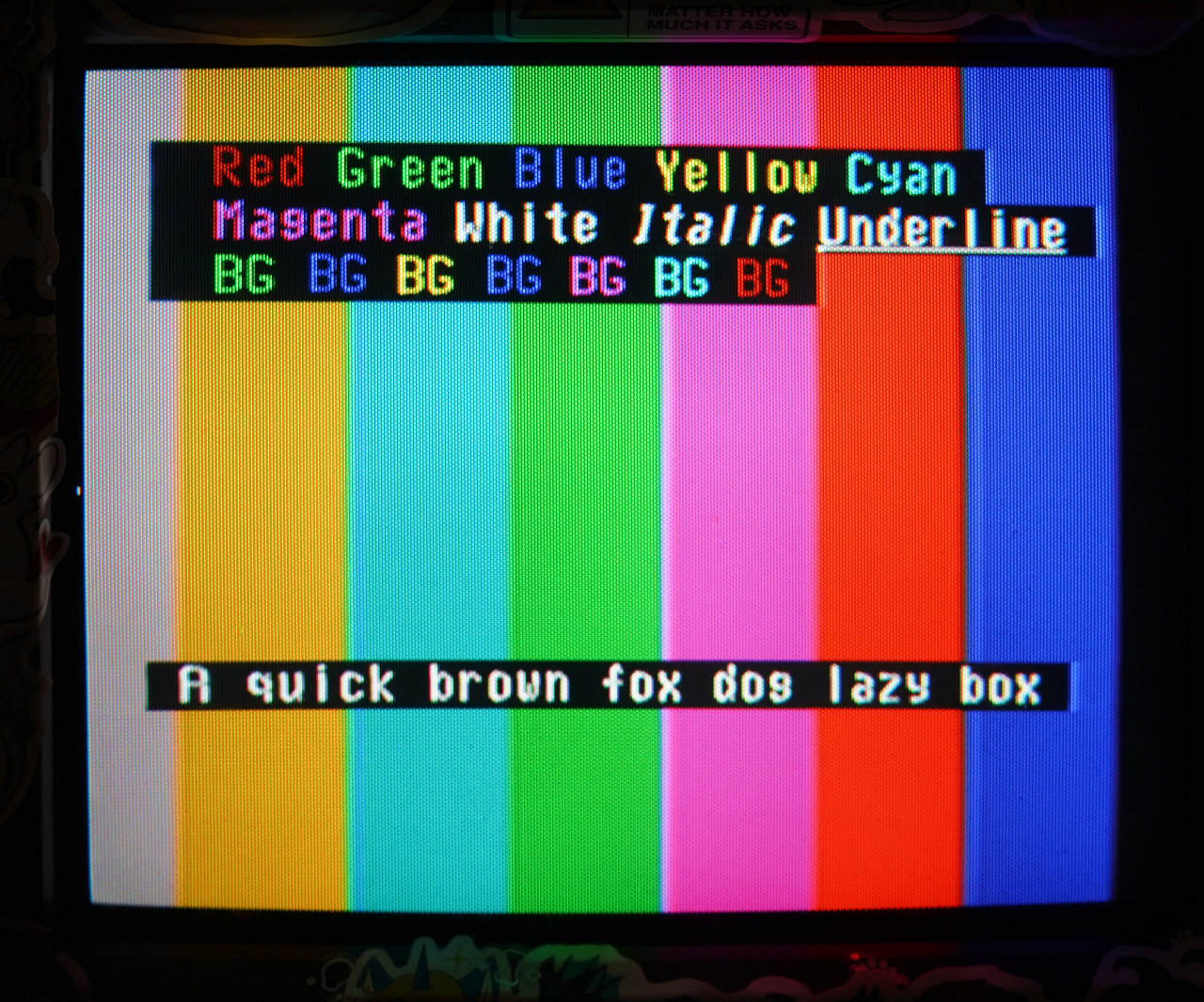
Here are the same subtitles decoded on my VCR/CRT combo unit I use as an electronic badge. The decoder on this TV does not seem to support background codes, but all other formatting codes seem to be supported pretty well: